Sabbatical cases are created by the college case manager for each eligible faculty or supportive professional staff member who intends to apply.

Interfolio Sabbatical Resources for Case Managers
Administrative staff who are responsible for moving a sabbatical case either backward or forward after a committee has finished reviewing.
Case Managers have the ability to create new cases and edit cases at their unit. They can manage case-level settings and committees, view case details and packet materials, and view all closed cases at their level in the hierarchy.
Case Managers cannot manage templates, view reports, or change account settings.
Unit Administrator Self-paced Training
This self-paced, interactive course covers the various administrative settings, creation of templates, creation and management of review committees and cases, and the reporting options using Interfolio RPT. NOTE: This training includes administrative settings beyond the case manager role and case managers will not have all the system permissions introduced in this training.
Estimated time to complete: 45 minutes
Case Manager Live Training Recording
This training session is for NIU college Interfolio case managers and focuses on the review process, managing committees, and successfully moving cases through the various states in Interfolio Review, Promotion and Tenure (RPT).
Estimated time to view: 8 minutes
Case Manager Frequently Asked Questions
Individuals must complete the sabbatical intent to apply form.
The Office of the Provost provides colleges with a list of faculty and supportive professional staff who are both eligible for sabbatical and have submitted the intent to apply form. College case managers should use this list to create sabbatical application cases in Interfolio.
All sabbatical cases must be created using the Sabbatical Leave template, which is standardized and used across all colleges.
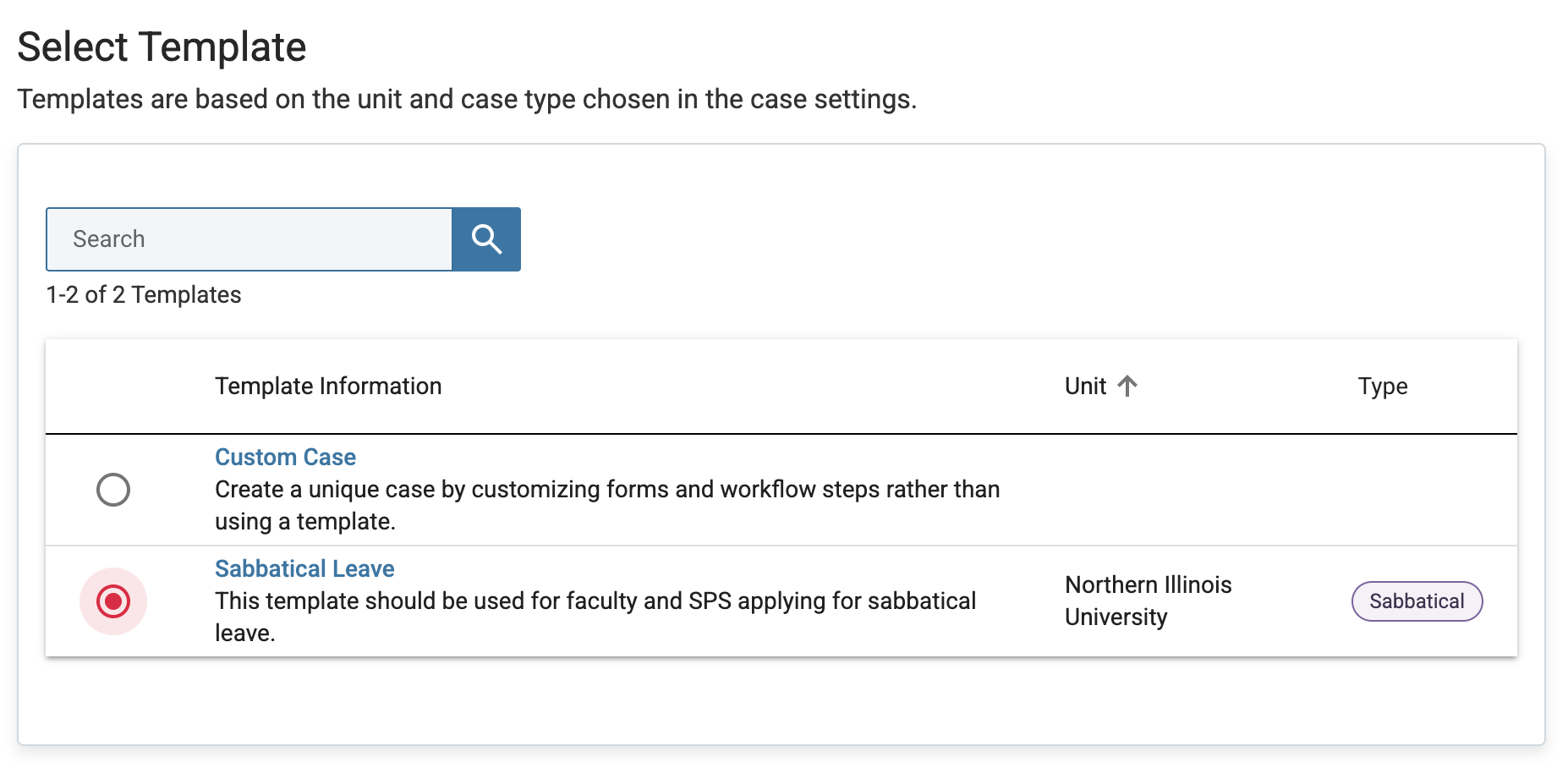
Do not attempt to manually modify the case structure. Contact the NIU Interfolio Team (interfolio@niu.edu) for assistance with correcting the template.
Cases should be created after the intent to apply list is finalized and shared by the Office of the Provost, and in alignment with the published sabbatical application timeline.
In general, cases should only be created for individuals included on the official list provided by the Office of the Provost. If there are exceptions, consult with the Office of the Provost before creating the case.
Once a case has moved forward in the review process, edits are typically restricted. Any exceptions should follow college or Academic Affairs guidance and be documented appropriately.
First, confirm that the correct template was used and that all required sections are visible. If the issue persists, contact the NIU Interfolio Team (interfolio@niu.edu ) for support.
- For technical or template-related issues, contact the NIU Interfolio Team (interfolio@niu.edu)
- For process or policy questions, consult the Office of the Provost or your college leadership
Have more questions?
Email interfolio@niu.edu and a member of our Interfolio at NIU team will be back in touch as soon as possible!
Note: You must log in using your NIU Account ID and password.
Get Help
Interfolio Scholar Services
For technical issues with Interfolio, Interfolio Scholar Services provides live support by phone or email Monday through Friday, 8:00 a.m.– 7:00 p.m. CT.
833-844-2118
interfolio-support@elsevier.com
Interfolio at NIU
For questions about NIU polices and procedures related to the preparation and review of promotion and tenure or sabbatical materials, please contact leadership at your department / school, college, or the Office of the Provost. Questions best addressed by the Office of the Provost can be directed to interfolio@niu.edu.