Create an Account and Access Your Course via On-Demand Learning
NIU's On-Demand Learning (ODL) platform provides access to non-credit courses and programs that are offered in NIU's instance of Blackboard. You can create an account, browse the public catalog of courses, enroll in courses, access courses, and view your progress and history all from the same system.
The account creation process is intended for users who are not affiliated with NIU and do not have NIU credentials (i.e., an A-ID or Z-ID). The instructions below provide detailed information for creating an account, accessing ODL, and enrolling and participating in an ODL catalog course. Individuals with an A-ID or Z-ID can use the option to log in with their NIU AccountID to enroll in an ODL catalog course.
If you need additional support or would like more information about how ODL may address your non-credit needs, please contact CITL at odl@niu.edu.
ODL requires that your browser and operating system permit the use of third-party cookies. Use these instructions to enable third-party cookies.
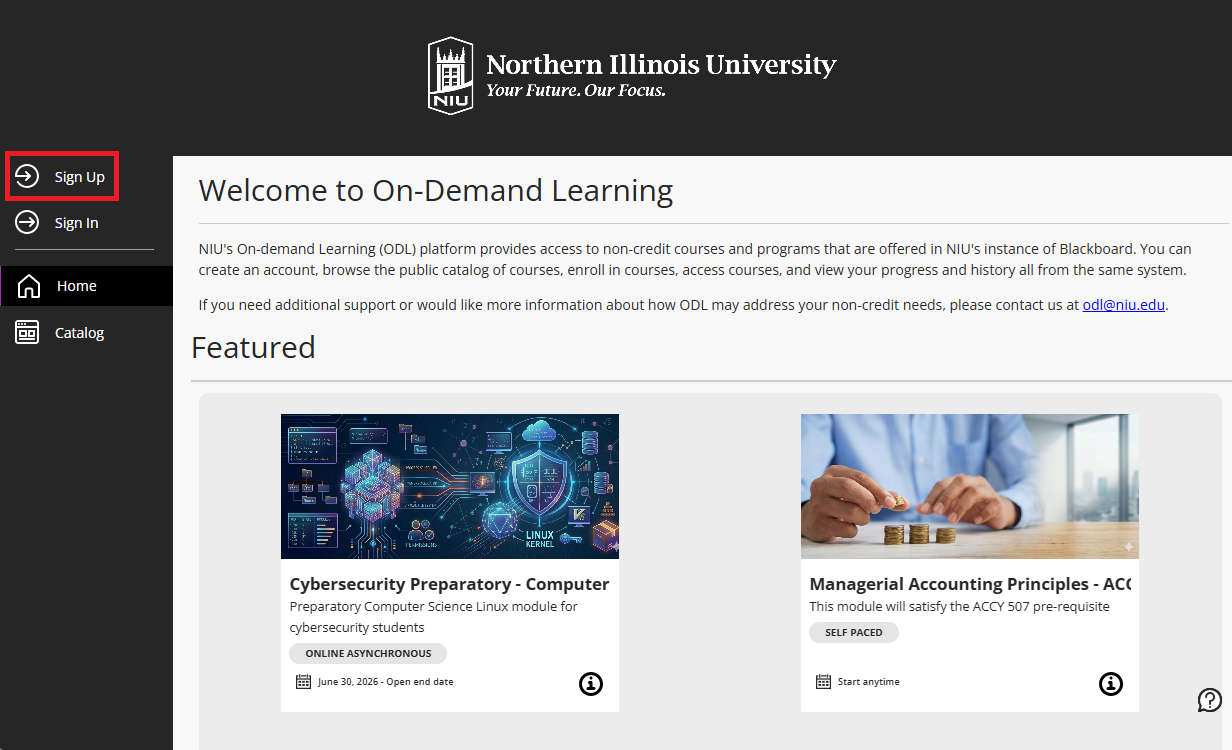
- Navigate to go.niu.edu/odl and click the Sign Up. If you do not see this page and instead see an error message, check that you have enabled third-party cookies.
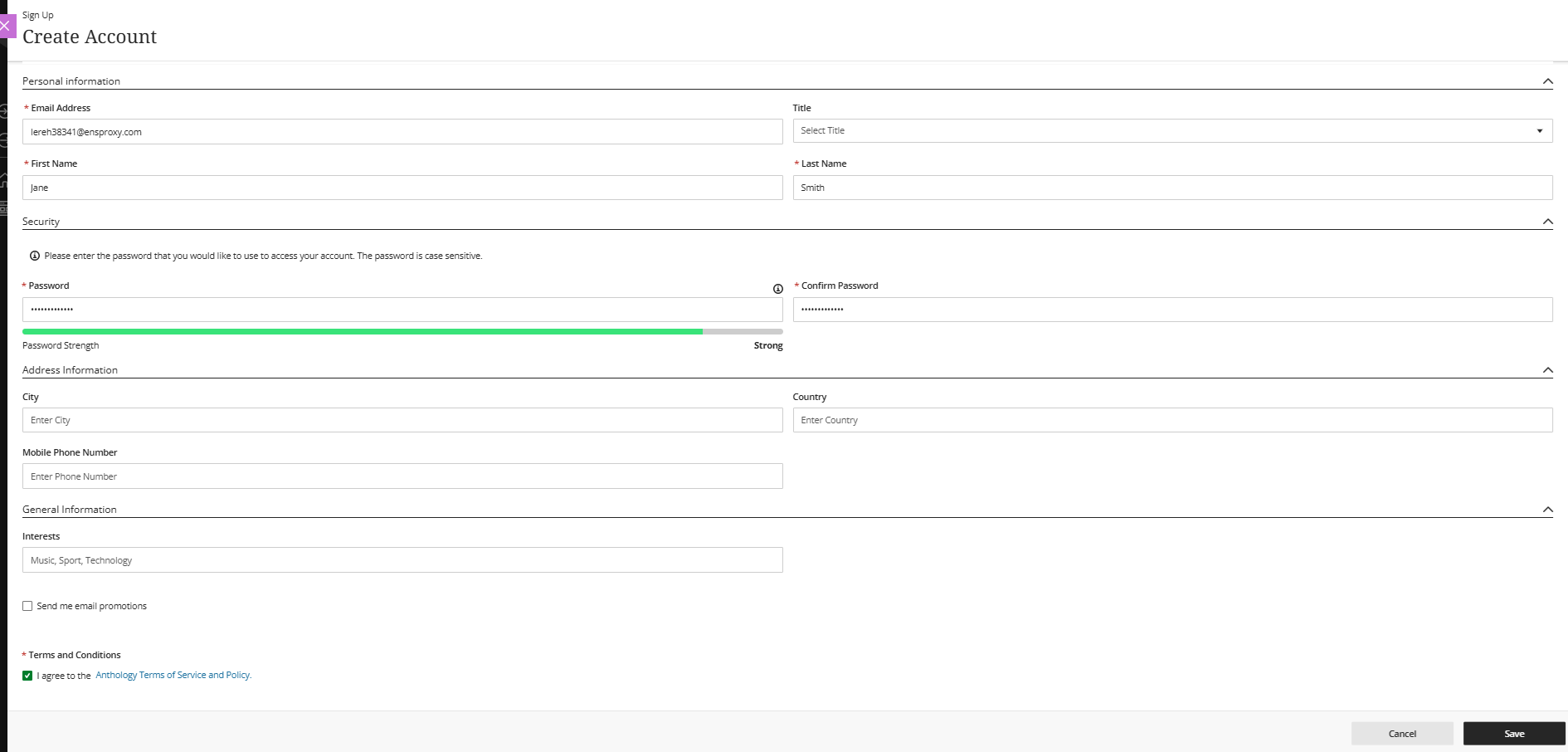
- Enter your email address, your first and last names, and a password for your ODL account. All other fields are optional. Check the box to agree to the terms of service and privacy policies, then click the Save button.
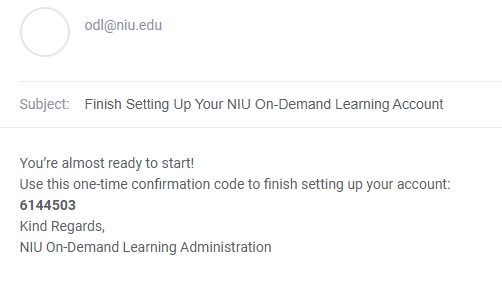
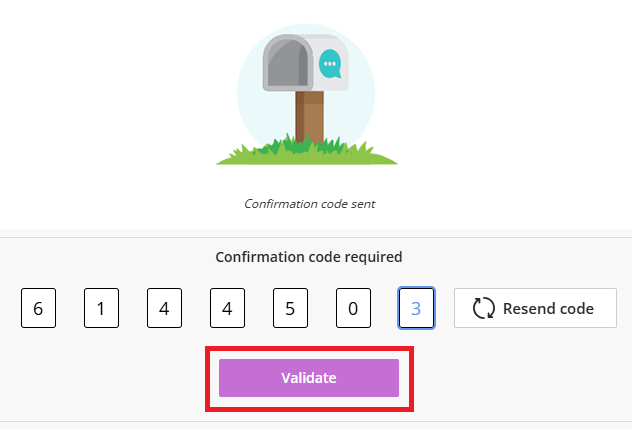
- Check your email for an access code that will be sent to the address you entered. Enter this code in the dialogue box that appears and click the Validate button.
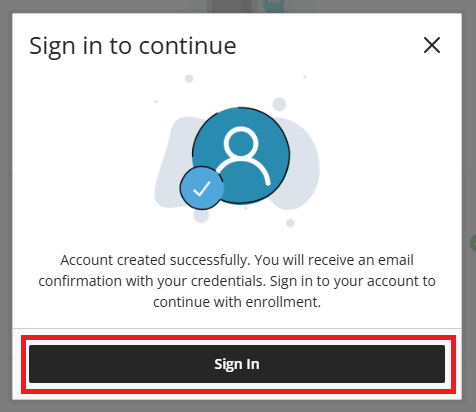
- After your account is successfully created, click the Sign in button to navigate to the ODL login page.
- Select Log in with your NIU On-Demand Learning Account and enter the email and password you used in the account creation process. Click the SIGN IN button.
Use the Forgot Password link if you need to reset your password.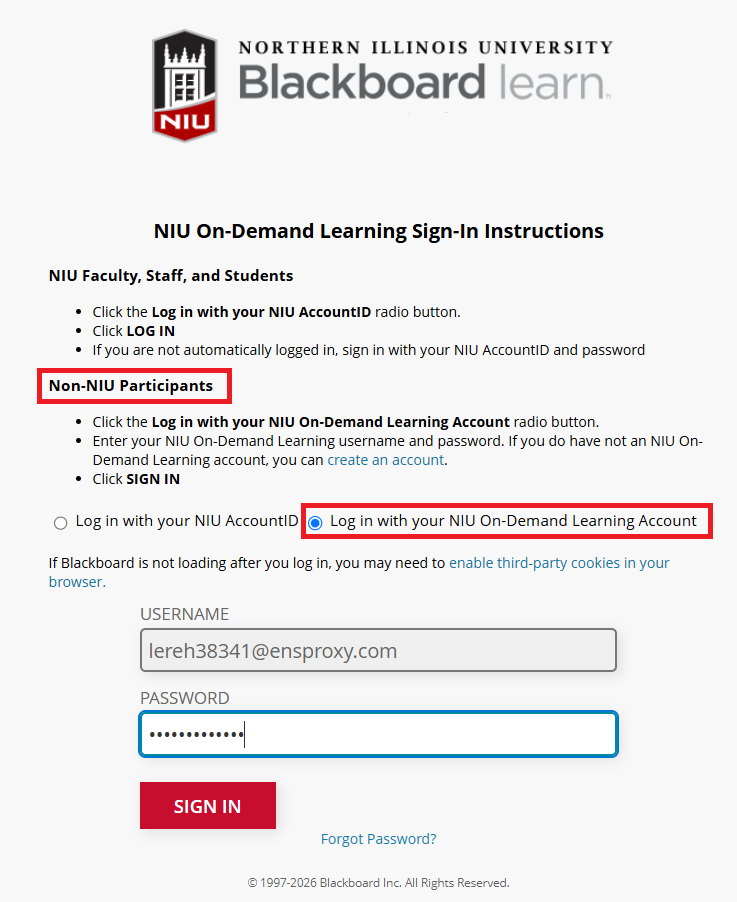
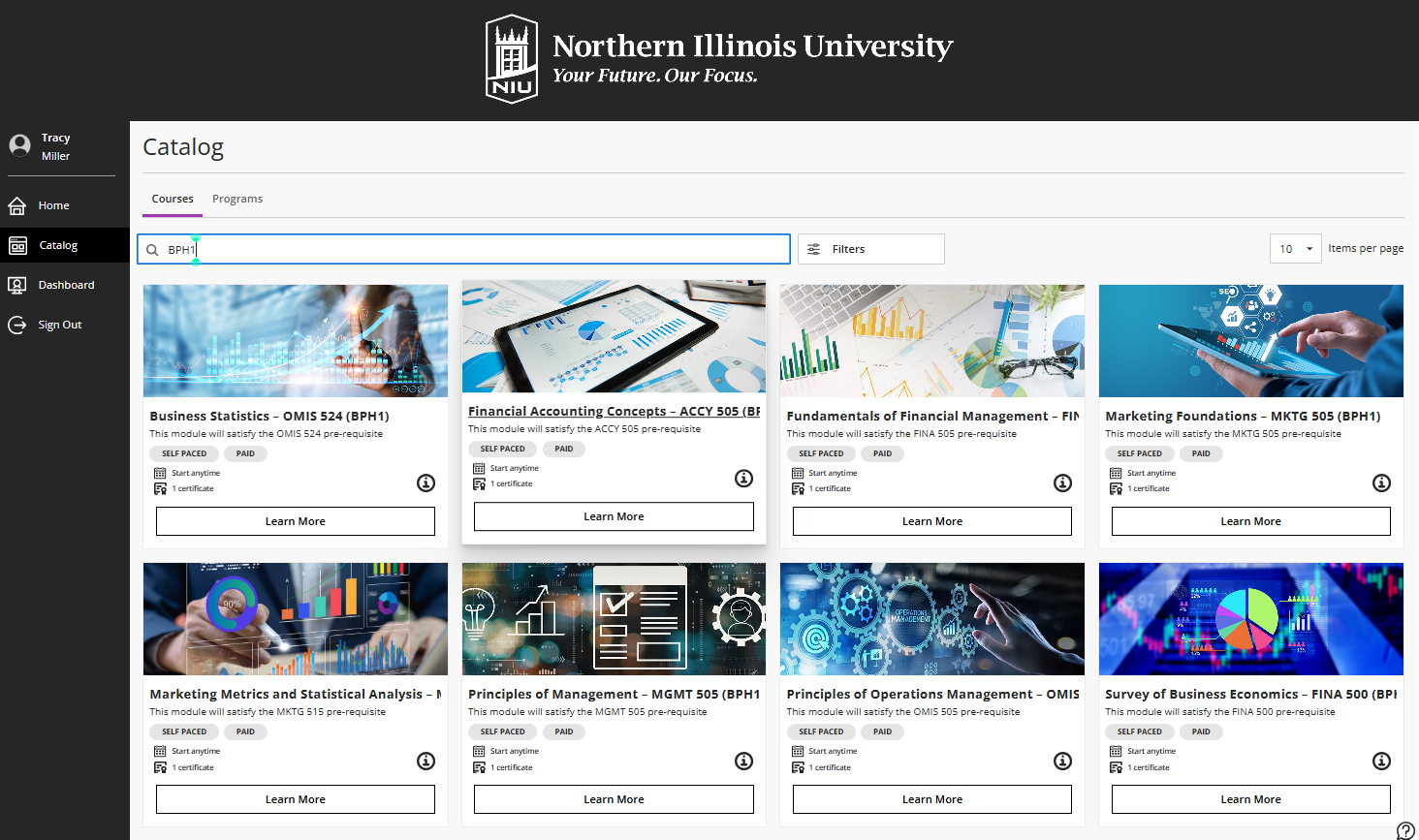
- On the Catalog page, click a course/module panel to see additional information or to buy and enroll. If necessary, use the Search or Category filters to locate the proper offering.
- To enroll, click the Buy button. This will start to enroll you in the course/module and later take you to your Dashboard page.
If the course does not require a payment, the button will say Enroll.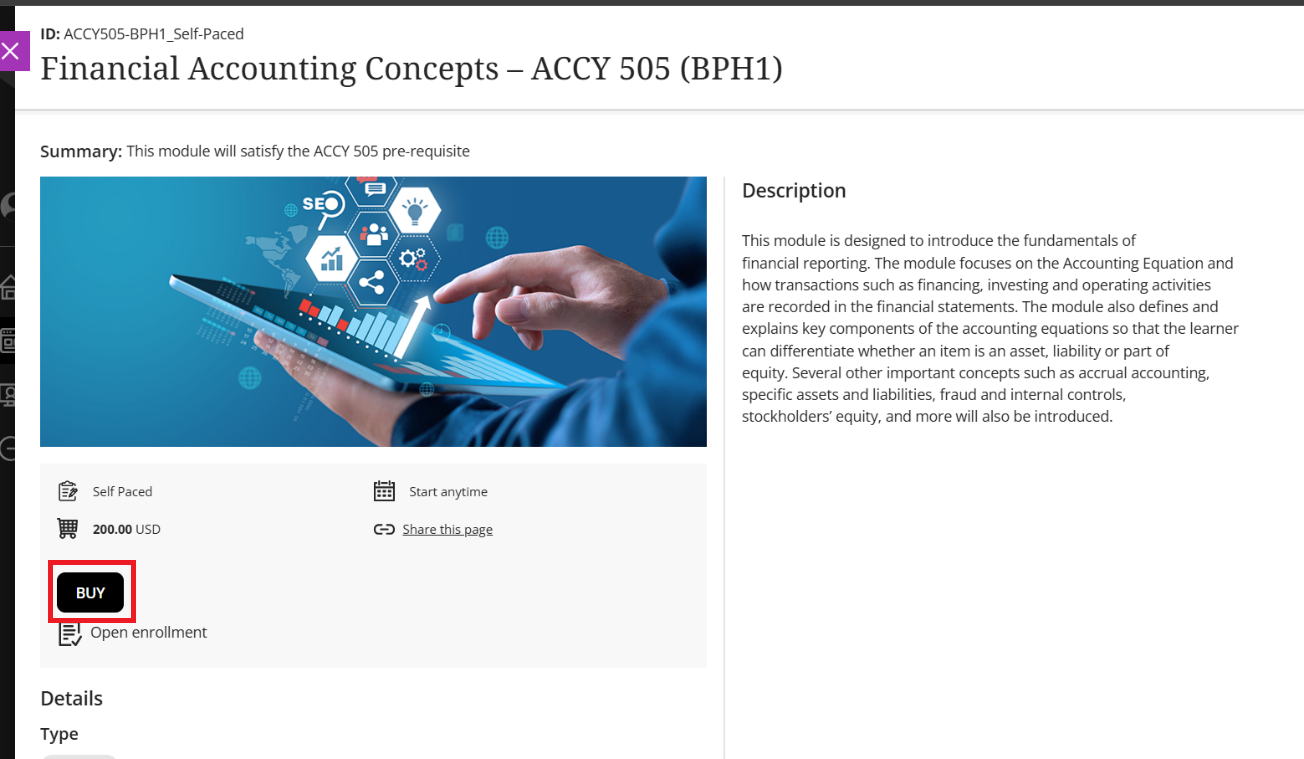

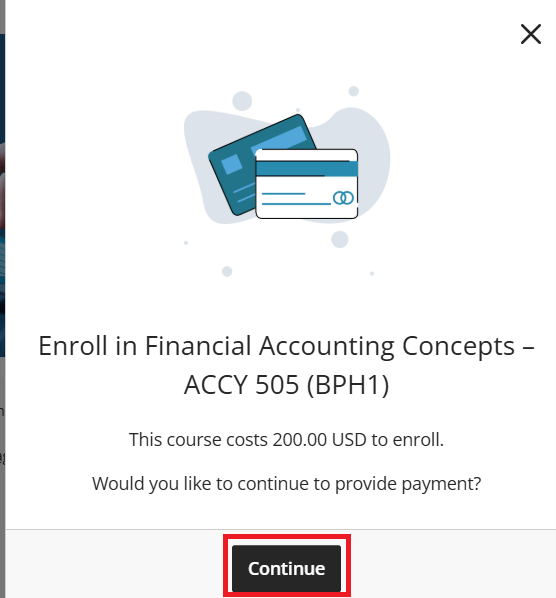
- Click the Continue button. If there was no fee for the course, this will complete your enrollment (skip to step 9).
- The Payment Gateway will open. Select CyberSource a Visa Solution and click the Purchase button.
If you were given a payment or discount code, enter it under Summary and click Validate before clicking Purchase. If that code reduces the cost to $0, this will complete your enrollment (skip to step 9).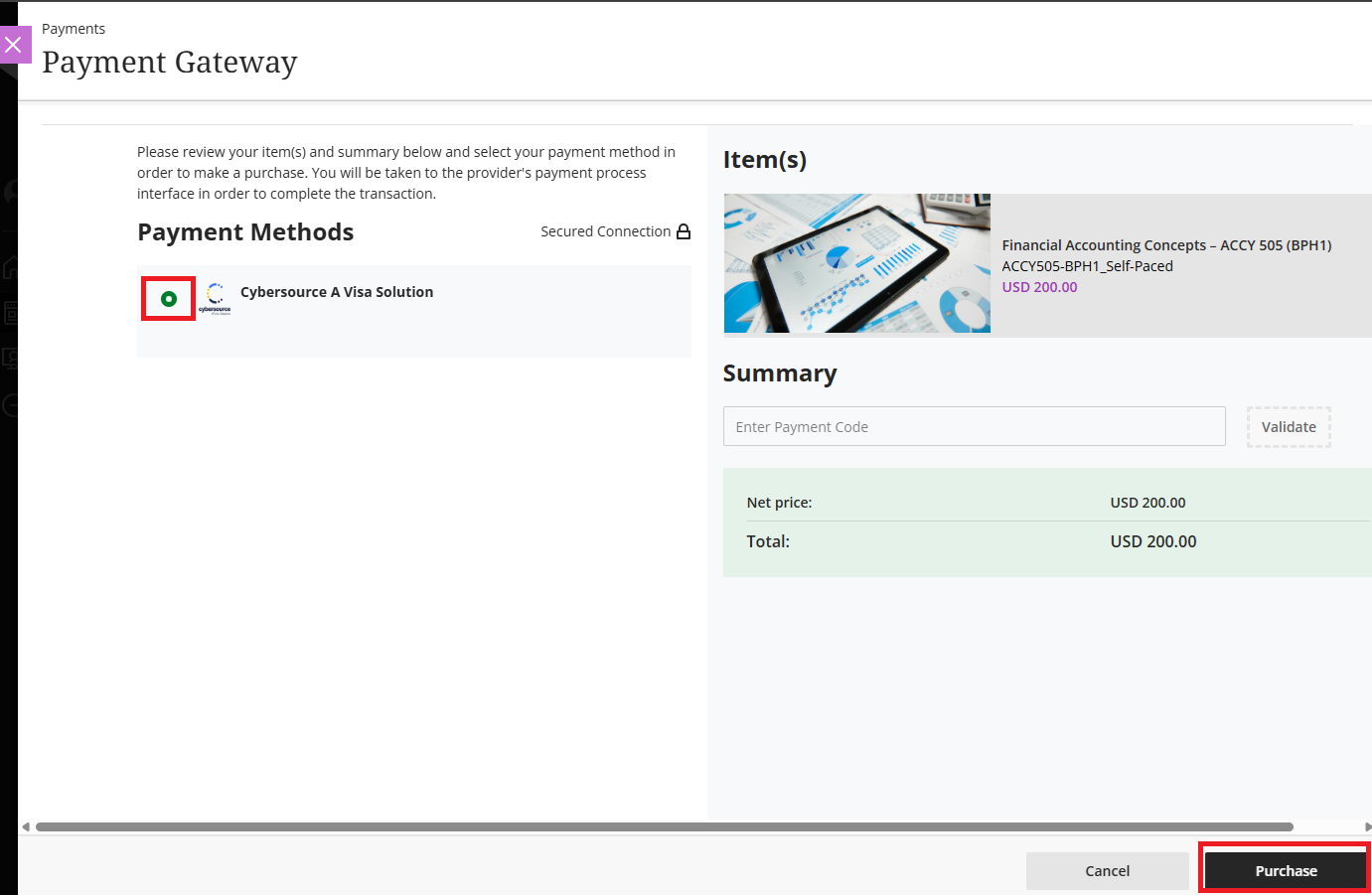
- Fill out the Billing information and click Next.
IMPORTANT: Please ensure the billing address entered at checkout matches the billing address associated with your credit or debit card. If the addresses do not match, your transaction may be declined, and your bank may place a temporary hold on the funds. If you see a pending charge after an unsuccessful payment, please contact odl@niu.edu.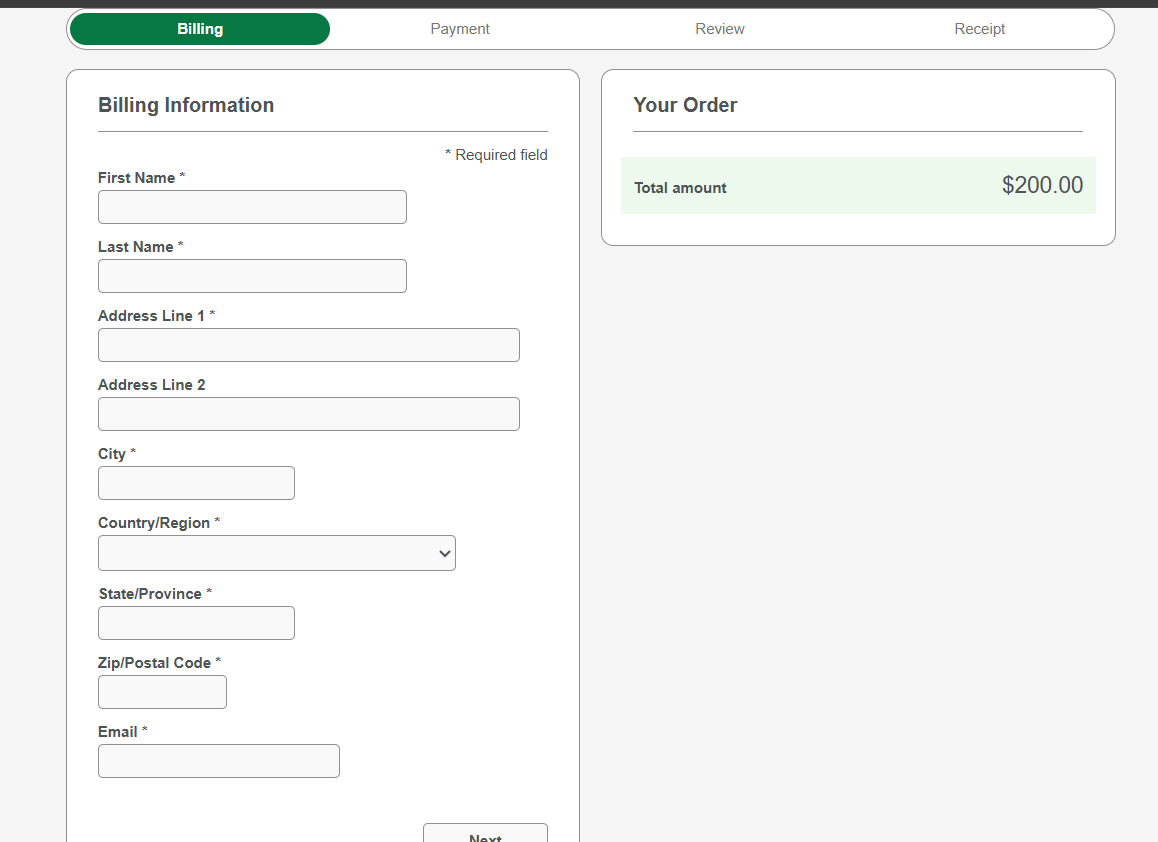
- Enter your credit card information and click Next.
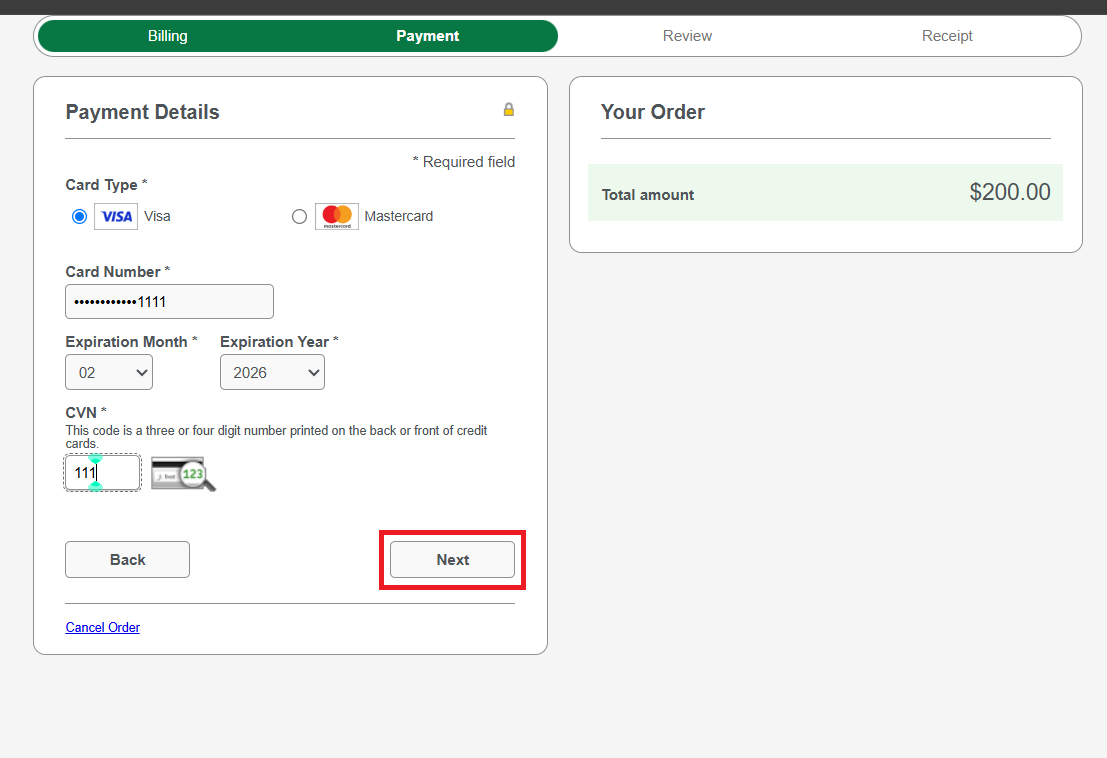
- Review your order then click Pay.
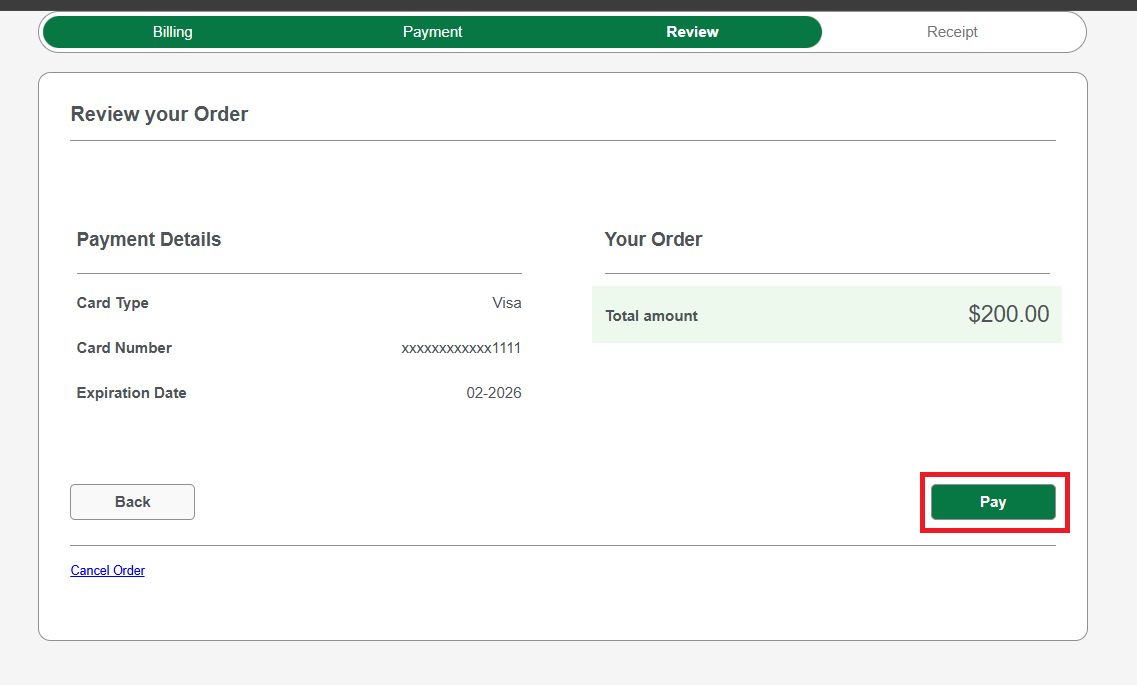
- Close out the payment window to continue with the transaction process.
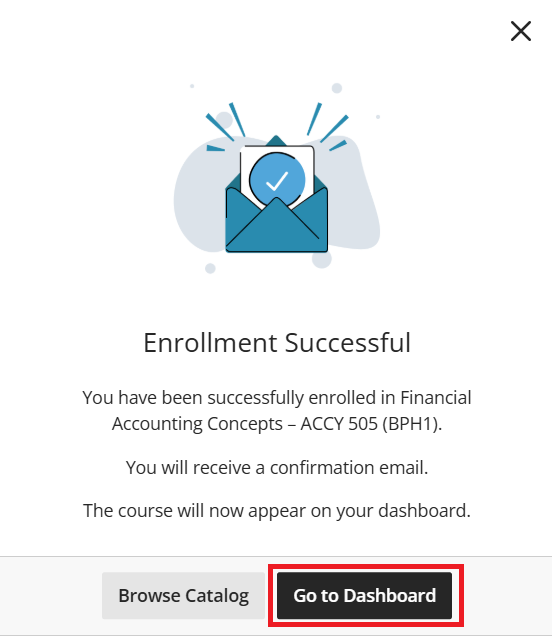
- After you have successfully enrolled, click on the Go to Dashboard button to access the course/module.
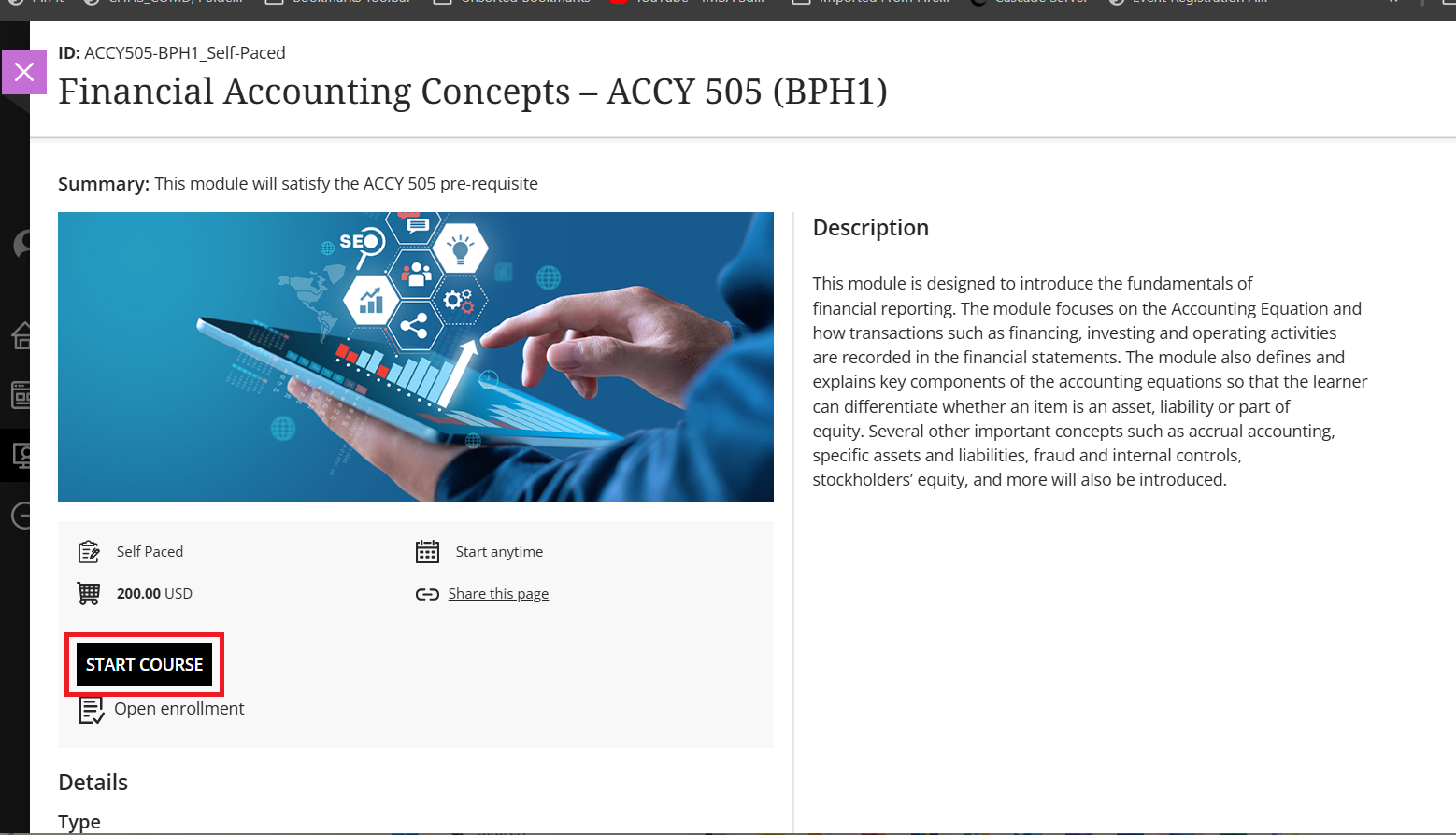
- From your Dashboard page, click on the course/module, then click Start Course.
- Check your email for confirmation of your successful enrollment.
After your first account creation and course/module enrollment, access your ODL courses and enroll in additional modules or courses by navigating to go.niu.edu/odl and click Sign In.
Remember, if you do not see the ODL catalog page and instead see an error message, check that you have enabled third-party cookies.
When you return to ODL, you can access the courses you have taken or which are in progress on the Dashboard page.
If a course has an associated certificate, the certificate will be available on this page after completing required activities and assignments in the course.
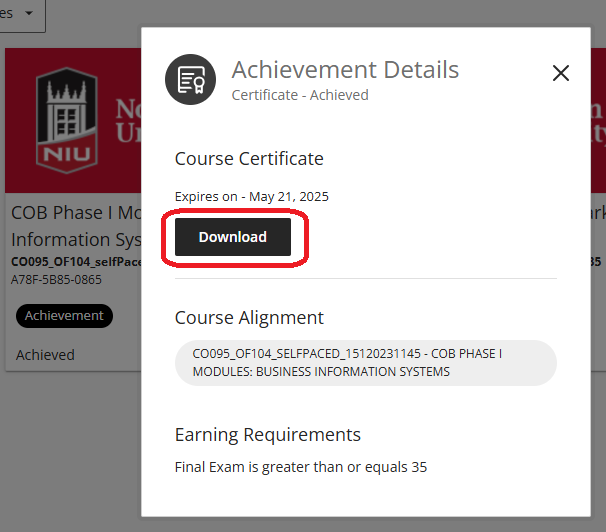
After you have successfully completed a module, you can access your certificate by going to the Dashboard and clicking on the Achievements tab. Any certificate you have achieved will show up as a green certificate icon.
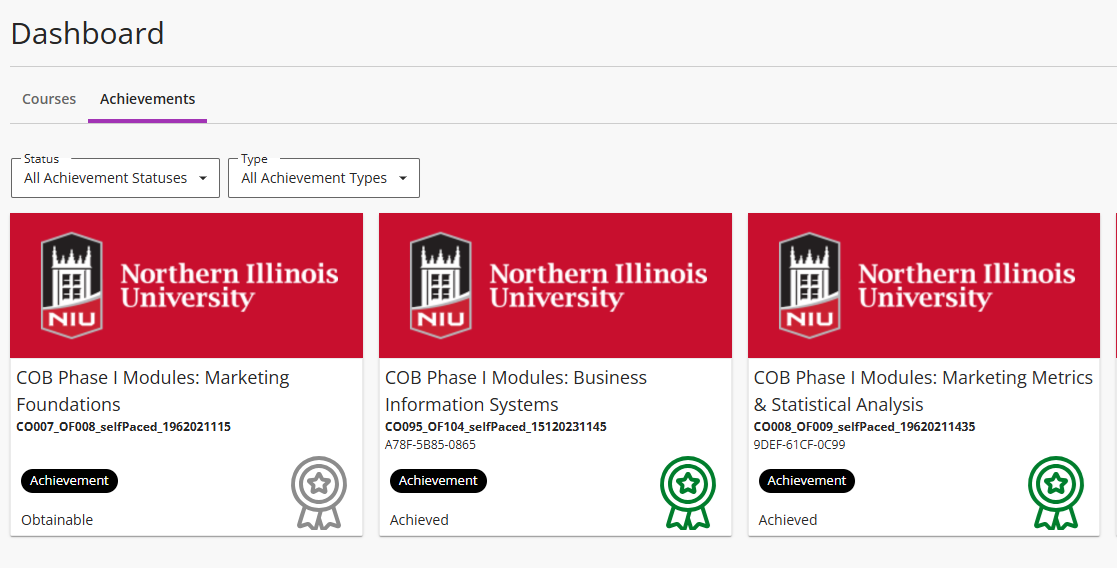
Click on a completed module with the achieved certificate, then click the Download button on the Achievement Details pop-up. This will prompt you to save the certificate to your computer.
Get Help
Technical Support and Student Help
Division of IT Service Desk815-753-8100
servicedesk@niu.edu