
Blackboard Mobile Apps
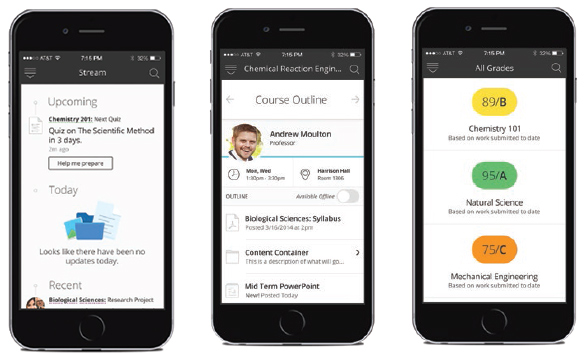
Blackboard provides two mobile apps to bring interactive teaching and learning to the mobile device, giving students and teachers instant access to their courses, content, and communities anywhere. The suite of apps includes the Blackboard app for students and the Blackboard Instructor app.
The Blackboard app for iOS, Android, and Windows mobile devices provides an intuitive way for students to interact with courses, content, instructors, and other students. Faculty can also use the app to access course materials, post announcements, participate in discussions, and grade student Assignment submissions from whenever and wherever.
Accessing Blackboard from a Mobile Browser
The browser view of Blackboard is designed to be compatible with mobile devices and resizes the course to fit your mobile device screen. Many course functions will work well from a mobile browser, but others will not. It is not recommended to add new content, build tests or surveys, grade student work, or work with the Grade Center from the mobile browser.
Blackboard Mobile Learn
Blackboard Mobile Learn is the legacy mobile application, and can no longer be installed on a mobile device. Support ended on August 31, 2017. After that time, mobile devices may not run Blackboard Mobile Learn correctly, depending on the age of the device and the operating system version. It is recommended to transition to the Blackboard app.
Learn More
Get Help
Technical Support and Student Help
Division of IT Service Desk815-753-8100
servicedesk@niu.edu